I built Teams, Matches, and Matchbooks around the work Match Directors do before an event. Setup crews can find and approve stages together, generate the printed documents, and give competitors an online Matchbook with 3D previews and shooting simulation.
Web editor, Teams, Matches, and Matchbooks. XR support varies by device.
Evidence
Match workflows reviewed September 2026; editor and XR evidence from July 2026.
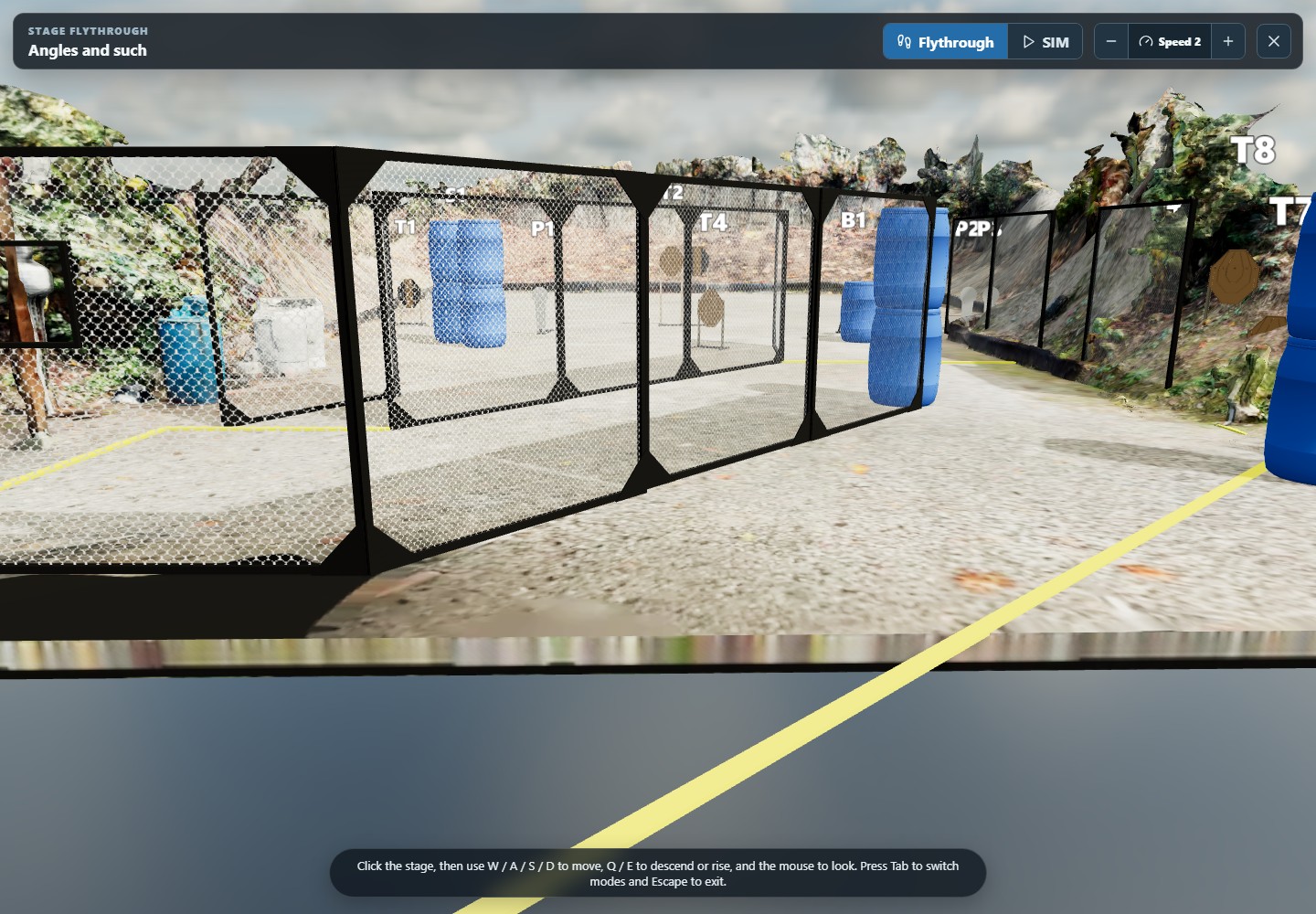
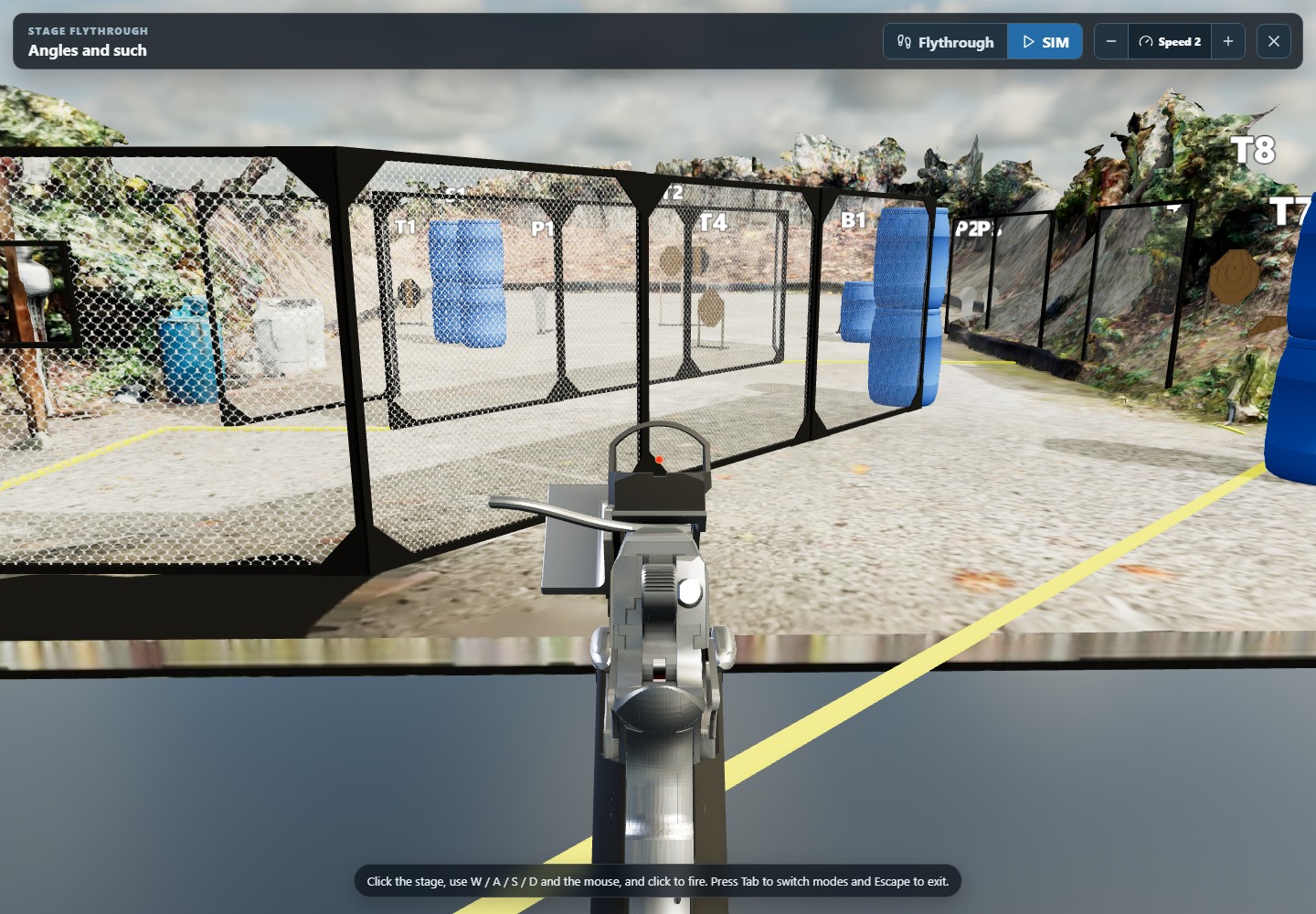
3D flythrough launched from the Texas Open Championships Matchbook
01 · The customer problem
The paperwork takes time away from the match.
The problem
A practical-shooting match needs several stages, each with a layout and written briefing. Setup teams can spend weeks finding designs, adapting them to the range, and getting approvals. Briefings and a complete Matchbook can add months of document work.
The opportunity
Give organizers one place to plan the stages and review changes. Generate the match documents from that work, then let competitors explore the same stages online. The Match Director has more time for the crew, the competitors, and the event itself.
01
Make collaboration and approvals part of the stage-planning workflow.
02
Reuse stage information across the plan, briefing, and Matchbook.
03
Automate document production while keeping people in charge of review.
04
Help competitors understand the match before they arrive.
02 · Teams and Matches
Save weeks finding, refining, and approving stages.
I built Teams for shared stage libraries and feedback, and Matches for organizing the event. Match Directors can follow a stage from first suggestion through approval.
01 · Find
Start with a shared stage library
Keep reusable designs in the team's stage backlog. Setup crews can choose a starting point without searching through old files and messages.
02 · Refine
Work through changes together
Adapt the stage to the range, inspect it in 3D, and discuss changes on the design itself.
03 · Approve
Build a match everyone can follow
Assign stages to bays and track their review status. The Match Director can see which designs are ready to build and which need another pass.
03 · Automated match production
Save months of work on briefings and Matchbooks.
Generate written stage briefings (WSBs) from the stage designs and apply a shared template. The same information fills the complete Matchbook, so organizers don't have to assemble each document by hand.
Give the crew and competitors the same plan
Generate all stage briefings together, including layout images, stage details, and saved views. Teams can also reuse approved HTML or PDF briefings.
Add the cover, schedule, range information, and stage summary to the briefings. Customize the complete Matchbook, then print it or share it online.
The time saved goes back into running the match and making it enjoyable for competitors.
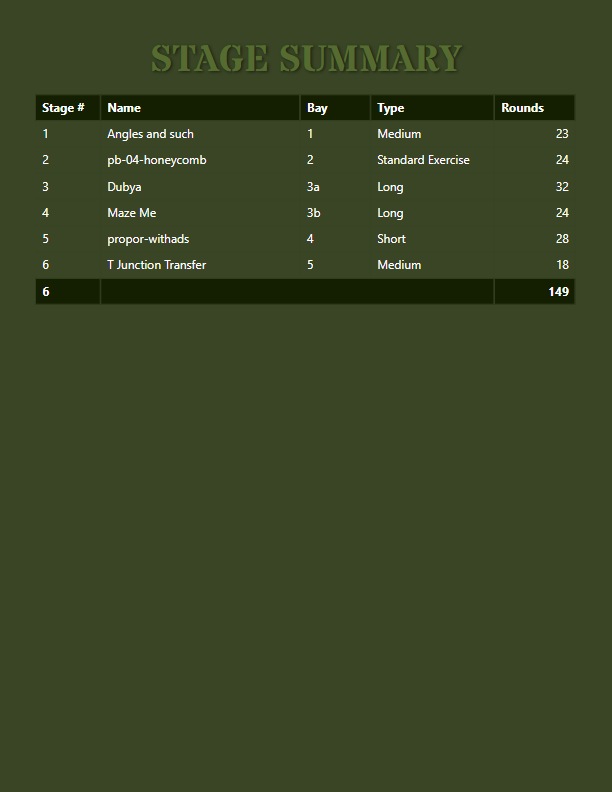
The match lineup becomes a stage summary
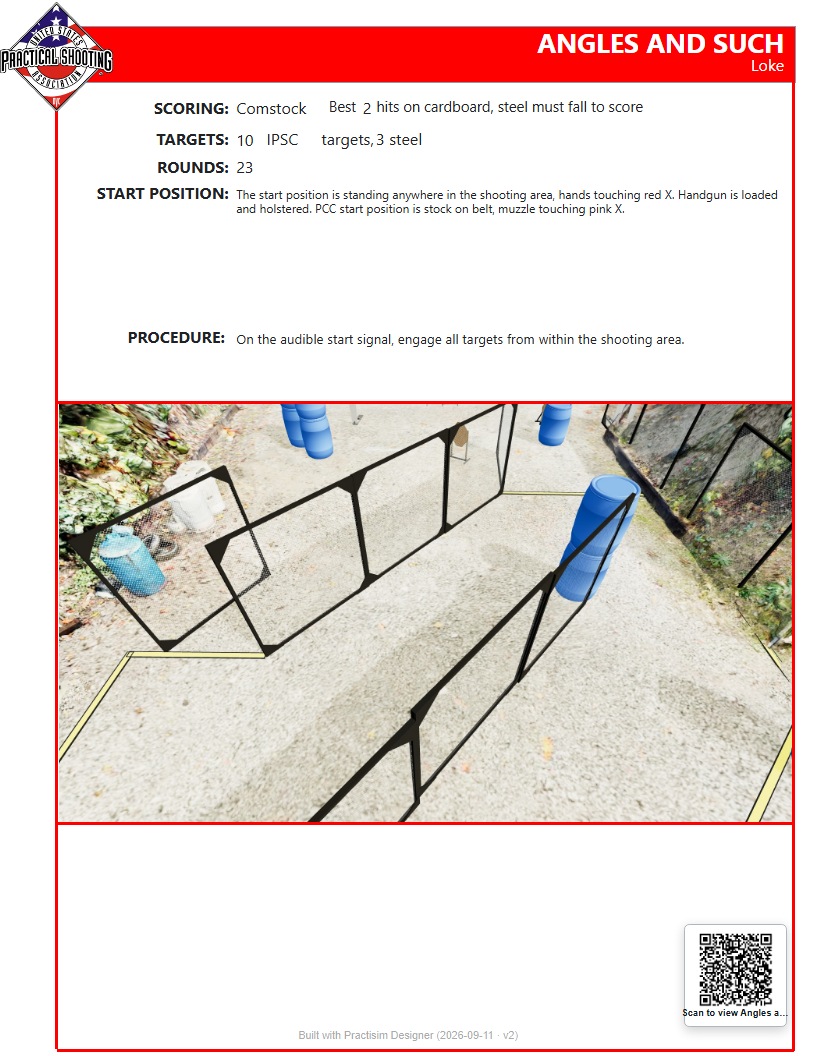
Stage data becomes a printable written briefing
04 · The competitor experience
Let competitors explore the match before they arrive.
The online Matchbook makes the publication interactive. Viewers can read the WSB, launch a 3D flythrough, and switch to a shooting simulation, all in a browser.
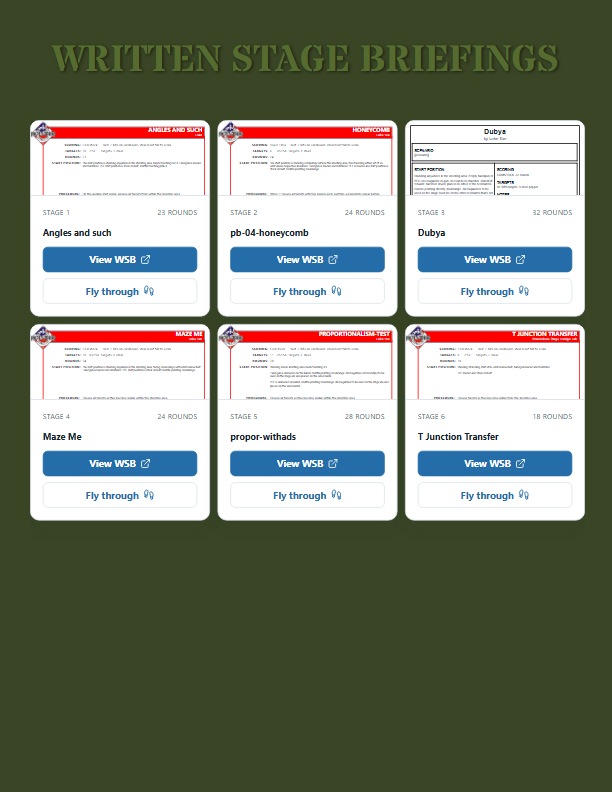
Read the briefings and open a stage from the online Matchbook
Explore the stage in browser simulation mode
Help competitors arrive prepared
Competitors can move through the 3D layout and try the shooting simulation before visiting the range. They arrive knowing more than a static diagram can show.
That preparation is part of the match's quality, and one way to improve competitor satisfaction.
Product screenshots: Texas Open Championships, Robotiks team · September 2026
05 · The stage-design foundation
Plan, review, and document a real stage in the browser.
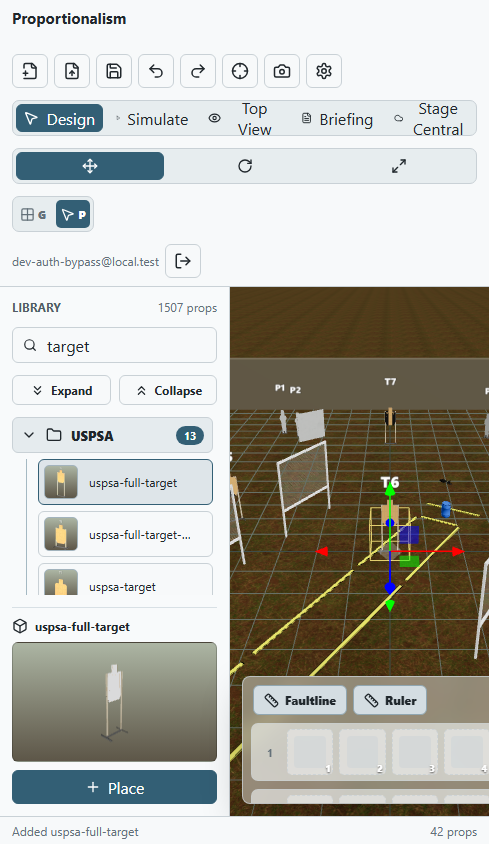
Practisim Designer Web opens existing stage files and adds 3D editing, overhead plans, walkthroughs, build instructions, sharing, and touch support.
The working editor shown at a mobile screen size
Open and save existing Practisim stage files without losing information
Work in 3D, overhead, or walkthrough views, with precise controls for placing objects
Create written stage briefings, measured build diagrams, and saved camera views
Share community stages, collect team feedback, and review or make light edits from a phone or tablet
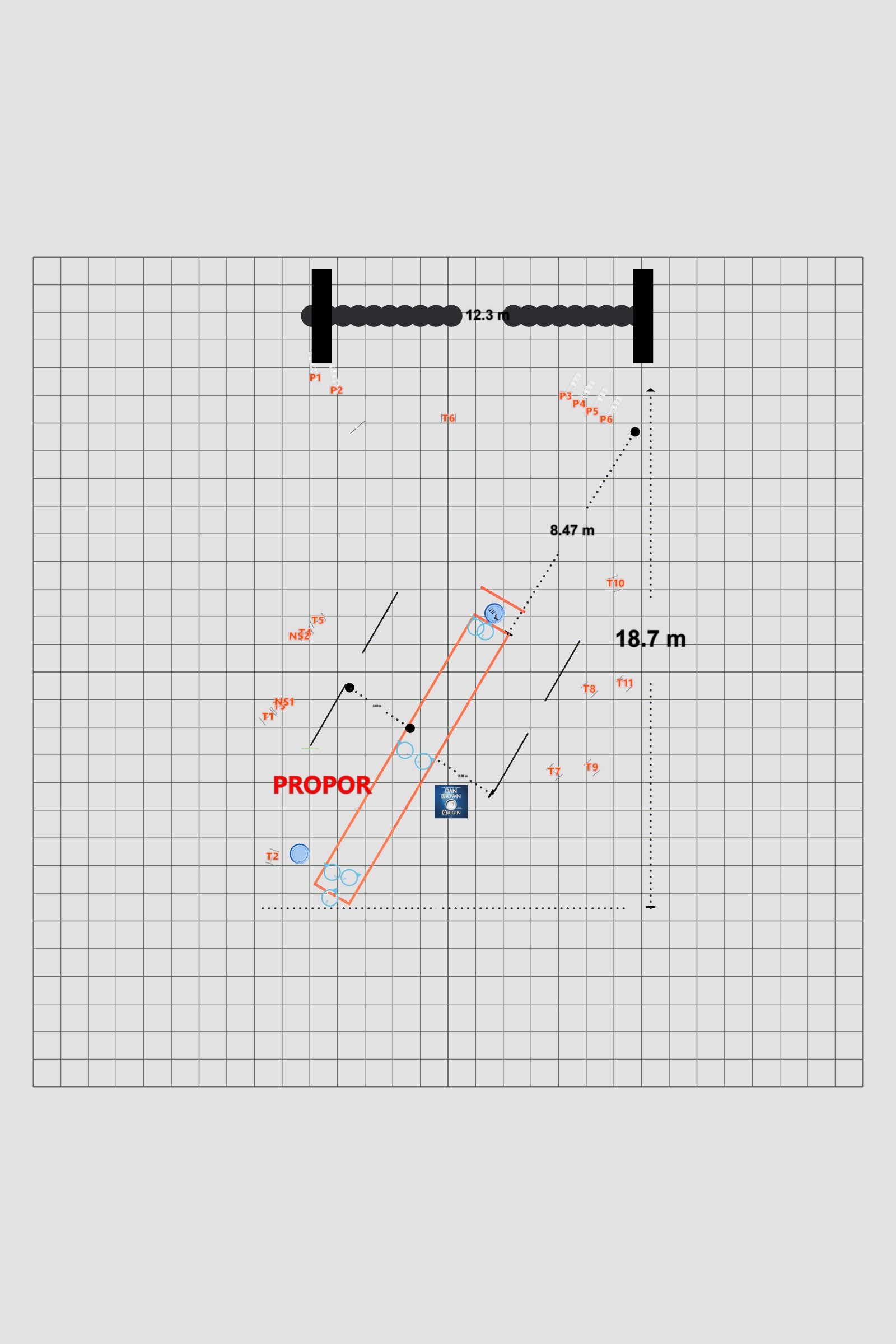
An overhead build plan generated from the 3D stage
06 · How AI supported the work
AI sped up the loop. I still made the product calls.
I used AI to inspect existing code, compare options, write tests, and debug failures. Customer needs, product boundaries, and release decisions stayed with me.
01
Understand the problem
Define what should get better for the customer, what must not break, and what evidence will show the change worked.
02
Inspect the real product
Use the current code, stage files, settings, and browser behavior instead of guessing from a description.
03
Build one small change
Use AI for speed while keeping the work small enough to review, test, and reverse if needed.
04
Check the result
Save tests, screenshots, comparisons, and notes so the next change starts from what is already known.
How it was built
AI supported how I built the product. The customer value is time saved planning, producing, and sharing a match.
07 · Solving a real performance problem
Too much data was slowing the product down. File sizes fell by more than 90%.
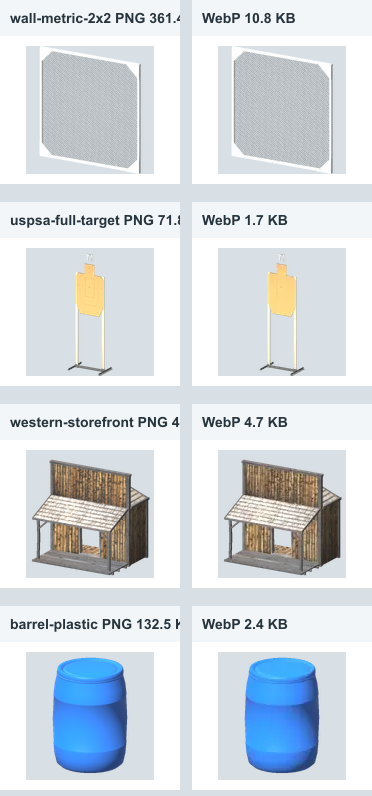
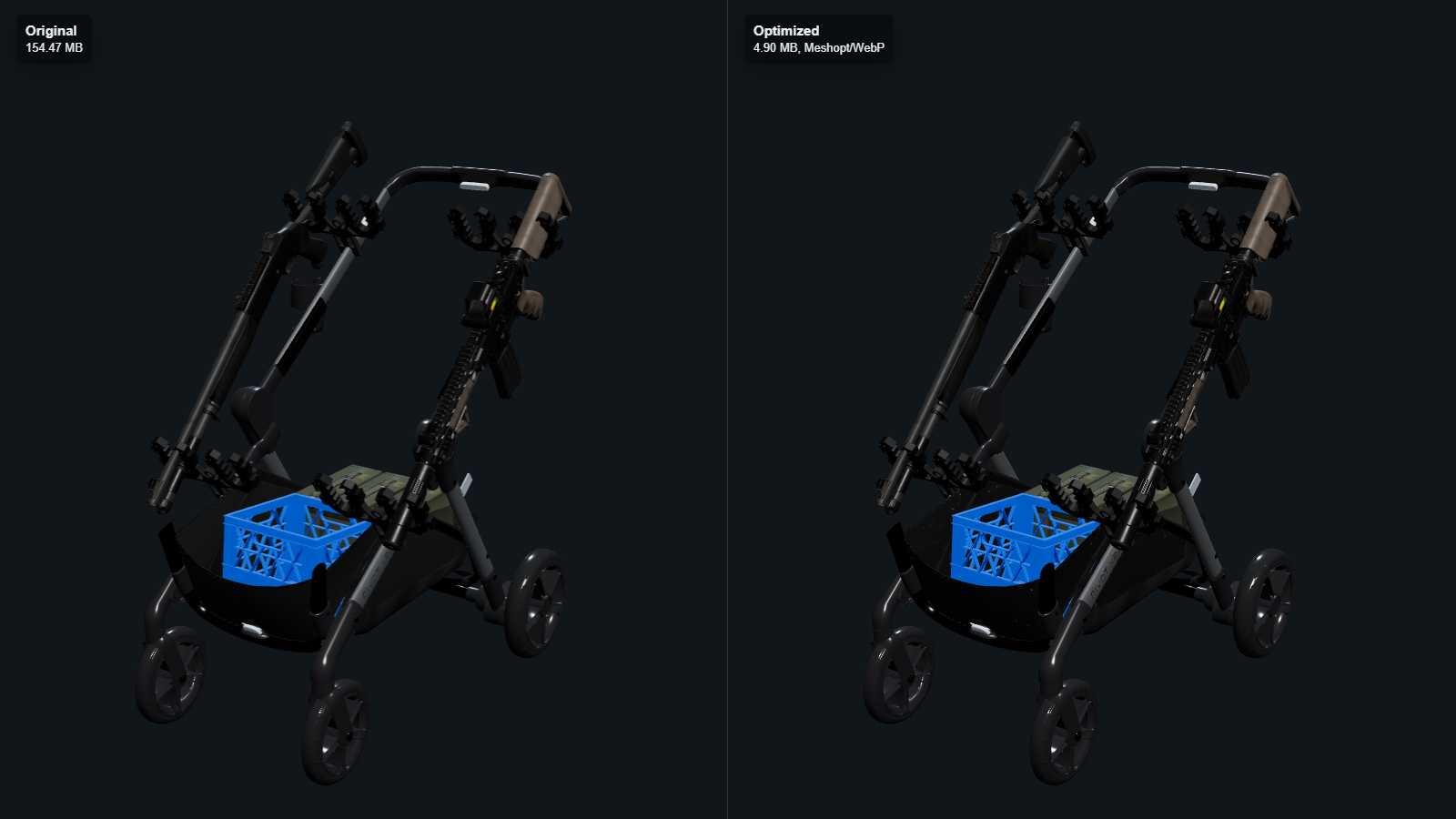
Practisim's catalog had grown to thousands of images and 3D models. I measured what the browser downloaded, then built tools to shrink the files and check the result. One broken model no longer had to delay the rest.
Measure
Find what was actually slow
Browser tests showed how much data the product downloaded and which files caused the largest delays.
Separate
Treat images and models differently
Each file type needed its own way to reduce size without hurting its appearance.
Repeat
Turn the fix into a tool
Small tools now find files that need work, shrink them, and upload the results in controlled groups.
Protect
Do not let one bad file stop the release
One invalid model was left unchanged while the other 1,604 models received the improvement.
Working today
Catalog image library
136.8 MB → 3.6 MBImages became much smaller while keeping a similar appearance.Working today
3D model library
6.7 GB → 431.6 MB1,604 of 1,605 models became smaller while keeping the visual detail needed in the editor.Working today
Invalid source files
1 isolatedThe broken model was documented and left unchanged instead of blocking the full improvement.
Before-and-after image comparison showing similar quality with much smaller files
A 154.47 MB 3D model reduced to 4.90 MB while keeping its appearance
08 · From browser to AR and VR
The same stage file works on a computer, phone, and headset.
Each experience uses the same stage design, so the plan does not have to be rebuilt for every device. Support varies by device, and the build-day tools remain future work.
01 · DesignWorking today
Browser editor
Create or open a stage, place objects, save useful views, walk through the plan, and save the design.
02 · CarryWorking today
Phone and tablet
Open the same stage to review it, make small changes, or walk through the plan with touch controls.
03 · Step insideWorking today
XR Viewer
On supported devices, view the stage at full scale, select and move objects, and bring those changes back into the design.
04 · BuildFuture opportunity
Build-day tools
More field measurements, easier immersive review on iPhone, and build-day coordination are future opportunities.
Recorded demo2 min 35 sec
Watch the same stage move from a phone into AR.
The recording starts with the stage open in Practisim Designer Web on a phone. It then moves into the iOS AR prototype, where the same barriers and targets appear over the live camera view.
01
ReviewOpen and inspect the stage on a phone.
02
Enter ARMove from the browser into the camera-based viewer.
03
Walk the planSee the planned stage objects against the real surroundings.
Recorded XR Viewer session · Mobile browser and iOS AR prototype · Sound available
09 · How the pieces work together
One stage file keeps the product connected.
Shared stage information connects the editor, team reviews, match lineup, generated briefings, and interactive Matchbooks. The phone layout and XR Viewer extend the same design into other settings.
01
What people use
Web editor
Teams and Matches
Stage briefing builder
Online Matchbooks
3D flythrough and simulation
XR viewer
02
How the work stays consistent
Shared stage data
Team stage backlog
Comments and approvals
Saved camera views
Reusable briefing templates
03
Online services
Sign-in
Saved and shared projects
File storage
Secure online services
Subscriptions
04
Conversion and delivery
SketchUp file conversion
Smaller 3D files
Website hosting
Automated product checks
10 · Reusing existing plans
Turn supported SketchUp plans into editable Practisim stages.
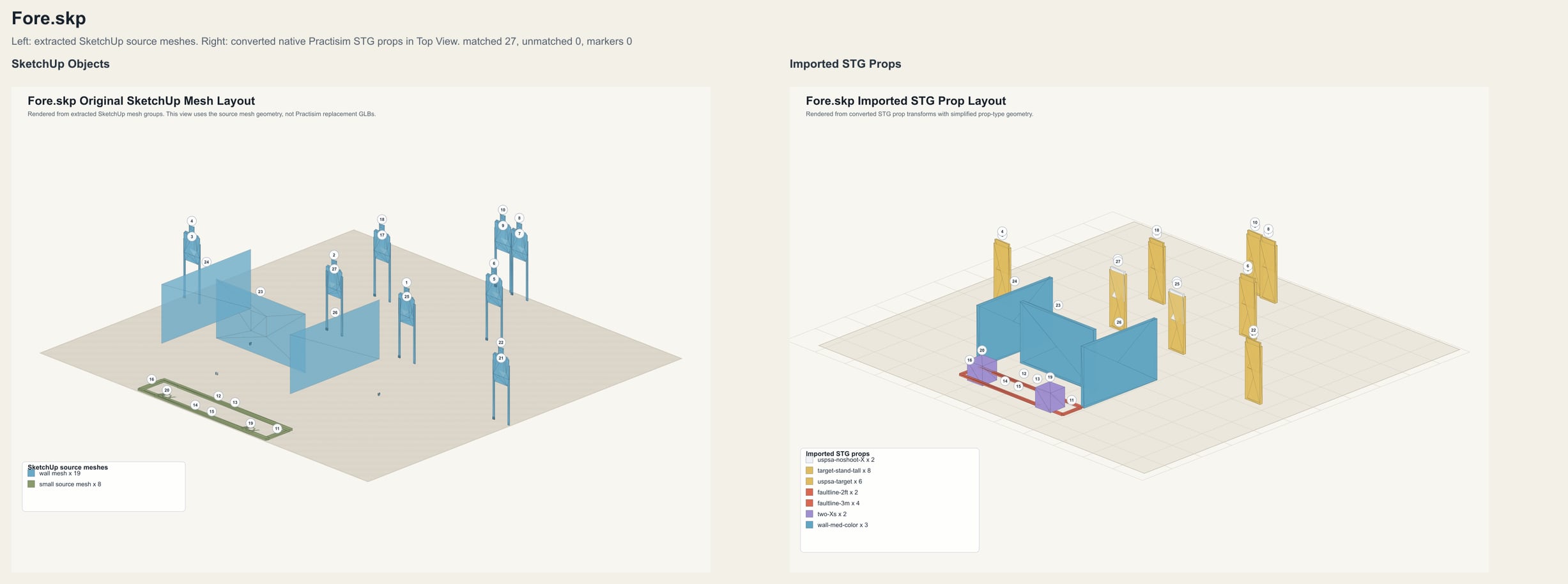
A separate conversion service turns recognized SketchUp shapes into Practisim objects and compares the result with the source so mistakes are easier to spot.
The original SketchUp shapes compared with the editable Practisim result
Designers can reuse an existing plan instead of rebuilding the stage from scratch.
The converter saves a side-by-side image of the source and result so mistakes are visible before anyone uses the stage.
11 · Product direction
Connect the work from first stage idea to match day.
Now
Bring the whole match together
Connect Teams, Matches, stage approvals, and Matchbook production so organizers can carry the same work from planning to publication.
Next
Measure the time returned to organizers
Track time spent finding and approving stages, preparing documents, and updating a Matchbook. Pair those results with organizer feedback and competitor satisfaction.
Later
Connect more of the field workflow
Add partner connections, more file conversion, easier build-day handoff, and immersive teamwork when customers show the need.
12 · What works today
A connected workflow for organizers and competitors.
Working today
Match preparation
Teams + MatchesA shared stage backlog, match lineup, team feedback, and approvals connect the people planning the event.Working today
Match publication
Print + interactiveGenerated WSBs and complete Matchbooks carry the stage plan into printed documents, online reading, 3D flythroughs, and browser simulation.Working today
Live product
In productionThe web product has sign-in, subscriptions, regular releases, and tools for operating it safely.Working today
Works across screen sizes
Desktop to phoneAutomated checks cover desktops, tablets, touchscreens, and phones in both portrait and landscape views.
Open to senior and principal product roles
Need a product leader who stays close to the work?
I can set direction, work through hard technical details, and help a team ship.